Stop app tracking 2026 is the most urgent digital privacy skill for millions of Americans concerned about their smartphones listening to private conversations this year. Many users have experienced the unsettling phenomenon of discussing a specific product (like a new coffee maker or running shoes) only to see personalized advertisements for that exact item appear on social media platforms minutes later.
Smartphone Privacy Settings 2026: Stop Apps From Listening
Our informational website provides basic personal finance education we do not sell financial deals or manage property. If you want to regain control of your microphone and secure your personal details from invasive data harvesting, you must understand exactly how sophisticated tracking systems operate in 2026. Here is your comprehensive, step-by-step guide to locking down your devices.
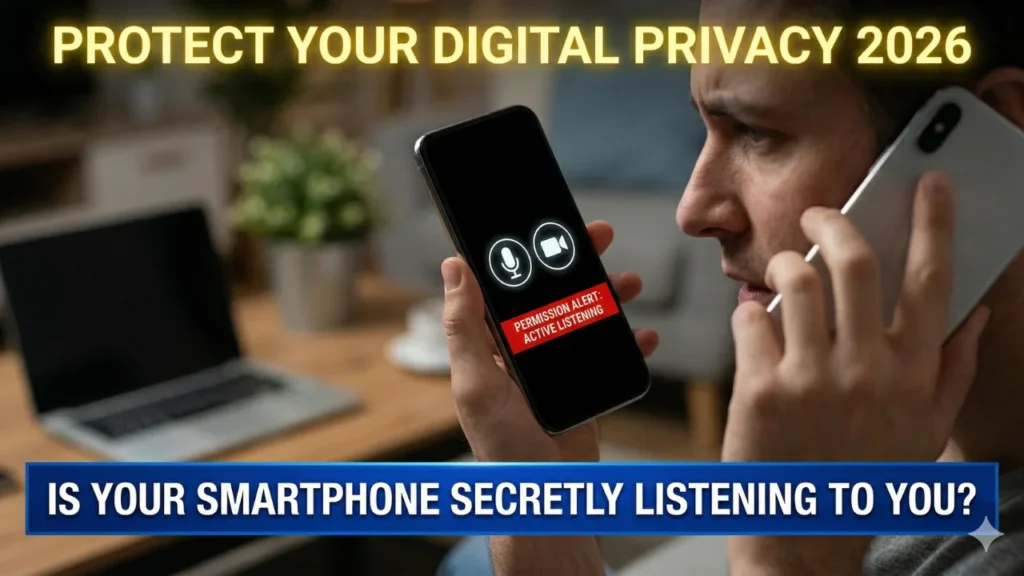
Key Takeaways for Digital Privacy
- The Threat: Modern applications utilize acoustic fingerprinting and behavioral tracking to build massive personal profiles for advertising revenue.
- The Illusion: Merely disabling individualized ad personalization settings in your apps does legally nothing to stop the backend data collection.
- The Solution: You must physically deny OS-level permissions to the microphone, camera, and precise location to truly stop app tracking 2026 techniques.
Hidden iPhone Features 2026: Secrets You Need to Know
How to Stop App Tracking 2026 on iOS Devices
For iPhone users, Apple’s strict ecosystem provides the absolute best built-in tools for consumer privacy. To permanently terminate persistent app tracking and secure your device’s microphone, follow this precise, actionable sequence:
- Deny ‘Allow Apps to Request to Track’: Navigate directly to Settings > Privacy & Security > Tracking. Ensure the primary toggle for “Allow Apps to Request to Track” is completely switched off. This action alone mathematically blocks billions of tracking requests annually at the OS level.
- Review Individual Microphone Permissions: Within Settings > Privacy & Security, tap “Microphone.” Meticulously audit the master list of applications that currently have access. Any non-essential service, such as a flashlight application or a basic calculator, must have its microphone access immediately denied.
- Disable Location Accuracy: Go into Settings > Privacy & Security > Location Services. Rather than disabling GPS entirely (which breaks mapping functions), look for the “Precise Location” toggle inside individual applications. Disabling this subtle setting forces the app to only know your general neighborhood rather than your exact physical address.
Find Cheap Flights 2026: Secret Airline Booking Hacks
How to Stop App Tracking 2026 on Android Devices
Android’s fragmented ecosystem makes it much more susceptible to aggressive data harvesting, but you can still secure your personal info effectively. Follow this comprehensive step-by-step guide to protect your privacy:
- Utilize the Privacy Dashboard: Open Settings > Privacy and tap on “Privacy Dashboard.” This native tool instantly generates a historical timeline showing exactly which specific applications accessed your microphone, camera, and location in the last 24 hours.
- Deny Unnecessary Permissions: If you identify a generic video editing app that quietly accessed your microphone at 3:00 AM, tap that application’s name within the Privacy Dashboard and immediately revoke its specific access permanently.
- Disable Personalized Ads: Navigate to Settings > Google > Ads. To help stop app tracking 2026 from building behavioral profiles based on other data points, you must manually select the “Reset Advertising ID” option and then permanently toggle the option for “Opt out of Ads Personalization” within your main Google account settings.
Stop AI Voice Scams: Protect Your Family Today
Frequently Asked Questions (FAQs)
Does using Incognito Mode protect my microphone privacy?
No. Utilizing “Incognito Mode” or “Private Browsing” strictly stops your local device from saving your physical browsing history or temporary cookies. It does absolutely nothing to encrypt the raw data traveling through your microphone or camera.
What is acoustic fingerprinting?
Many applications utilize specialized software that can analyze ambient sound waves to identify specific commercial jingles or television show dialogue, allowing companies to build detailed behavioral profiles without technically “listening” to your actual conversations.
Are microphone permissions the only way they listen to me?
No, modern stop app tracking 2026 techniques are highly sophisticated. While microphone denial is vital, companies also utilize data triangulation, cross-device tracking, and acoustic fingerprinting derived from other data points to build massive profiles.
Will using a mobile VPN block all tracking software?
No. A reputable VPN (Virtual Private Network) is excellent for encrypting your internet traffic and masking your physical location, but it cannot override the individualized privacy permissions you have already granted directly to applications inside your device settings.
Is it safe to just use an old basic “flip phone”?
Yes. For the ultimate level of digital privacy, reverting to an outdated cellular phone with zero GPS capability, zero microphone permissions, and zero application stores is statistically the safest method to ensure zero digital tracking of any kind.

Diana Luci is a U.S.-based Latest and financial news writer covering Social Security, IRS tax updates, SNAP benefits, Medicare, and government assistance programs. She focuses on simplifying complex financial and policy topics into clear, easy-to-understand information for everyday readers.