Are you feeling the pinch of inflation every time you buy groceries, yet you are still paying for a digital fitness app you haven’t opened since last year? You are definitely not the only one. Millions of Americans are currently losing hundreds of dollars annually to “zombie accounts” recurring monthly charges for streaming services, digital magazines, and premium apps they completely forgot about.
If you want to immediately put cash back into your checking account, you must actively find hidden subscriptions 2026 today. Stop letting massive tech companies silently drain your wallet. Here is your step-by-step guide to auditing your digital life and canceling those sneaky auto-renewals for good.
Block Spam Calls 2026: Stop Your Phone From Ringing
The Best Ways to Find Hidden Subscriptions 2026
The absolute fastest way to locate forgotten payments is by checking the central billing hub on your smartphone. If you use an Apple device, simply open your Settings app, tap your name at the very top, and select “Subscriptions.” You will instantly see a list of every active application charging your Apple ID. You can cancel them with one single tap.
For Android users, open the Google Play Store app, tap your profile icon, and navigate to “Payments & subscriptions.” This built-in method is the safest way to find hidden subscriptions 2026 without downloading any third-party financial software.
UK Online Safety Law 2026 Orders 48-Hour Takedown of Intimate Images
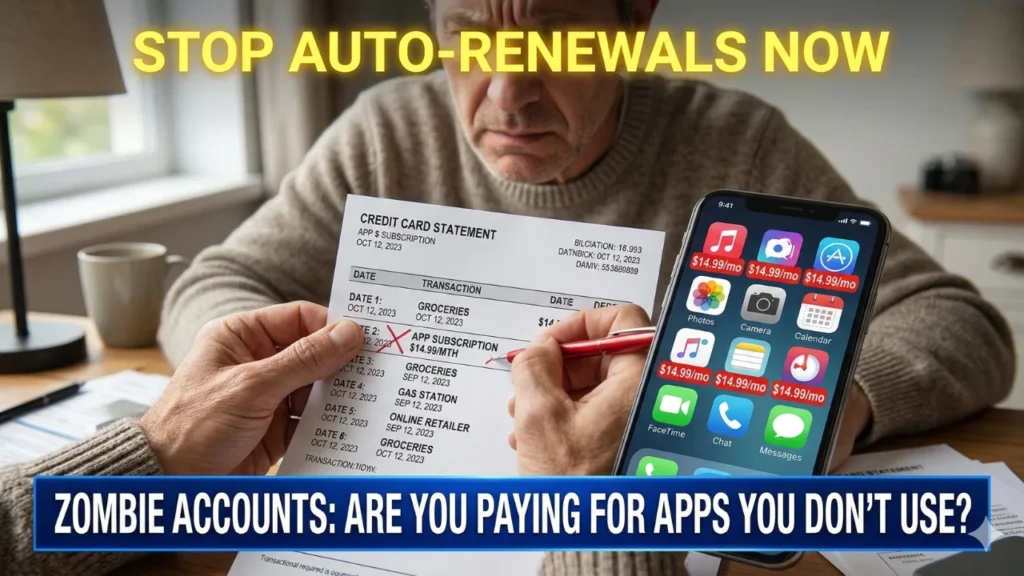
However, not all services are billed through your phone. You must also physically review your last two months of credit card and bank statements. Look specifically for recurring charges under $15. These small amounts are intentionally designed to fly under your radar.
The Free Trial Trap and Auto-Renewals
Companies rely heavily on the “Free 7-Day Trial” trap. They know you will likely forget to cancel before the billing cycle automatically begins. To protect yourself going forward, immediately cancel the subscription the exact same day you sign up for the free trial. You will still retain full access to the service for the remainder of the 7 or 30 days, but it will not auto-renew!
Taking the time to find hidden subscriptions 2026 is the ultimate financial hack this year. By plugging these small leaks, you can easily save enough money to fund your next family vacation.
Cost of Living Payment 2026: Who Qualifies for the £500 Support?
Frequently Asked Questions (FAQs)
1. Will deleting an app from my phone cancel the monthly payment?
No! This is the most common mistake people make. Deleting the application from your home screen does absolutely nothing to stop the billing cycle. You must officially cancel the agreement in your device’s settings.
2. Can I use a third-party app to track my recurring bills?
Yes. There are many reputable budgeting apps available that securely link to your bank account and automatically highlight recurring monthly charges, making the auditing process much faster.
3. Am I entitled to a refund if I forgot to cancel a free trial?
Usually, no. Once the free trial window expires and your card is charged, most companies enforce a strict no-refund policy, though you can still cancel to prevent future charges.
4. What is a virtual credit card?
A virtual credit card is a temporary, digital card number provided by many major banks. You can use it to sign up for a free trial and set a strict spending limit of $0, ensuring the company cannot charge you later.
5. Do I have to call customer service to cancel?
In 2026, the FTC requires most companies to provide a simple, online cancellation method if you initially signed up online. You should rarely have to wait on hold to cancel a digital service.

Diana Luci is a U.S.-based Latest and financial news writer covering Social Security, IRS tax updates, SNAP benefits, Medicare, and government assistance programs. She focuses on simplifying complex financial and policy topics into clear, easy-to-understand information for everyday readers.